
TL;DR
Contact Form 7 rarely shows a visible error; for small-site owners, its most frustrating failure mode is silent failure. The visitor sees “sent,” but the email may never reach you. This guide is not a plugin review. It focuses on delivery: how WordPress, Shopify, hosting mail, SMTP, spam filtering, and inbox rules can break the path between a submitted form and your mailbox.
Use this order:
- Submit your own form with a disposable email.
- Check inbox and spam.
- If nothing arrives after 10 minutes, inspect host mail and SMTP settings.
- Retest.
- Ask someone using another email provider to submit once.
- Only then decide whether to keep the form, change plugins, use a hosted form service, or add a chat widget.
In most cases, the fix is SMTP, not replacing the plugin.
First, Be Clear: Contact Form 7 Often Fails Silently; This Is About Delivery, Not Plugin Rankings
If you search “Contact Form 7 not receiving emails” or “WordPress contact form not sending email,” you will find many plugin comparison pages. That is not the first thing most small WordPress or Shopify site owners need.
The real question is narrower: did the message reach you?
A contact form can show a success state because the website accepted the submission. That does not always mean the email was authenticated, handed to a reliable mail server, accepted by the recipient provider, and placed in your inbox.
This is why owners of small stores, portfolios, service pages, and founder websites feel stuck. Public discussions in r/WordPress and r/shopify during 2026 repeatedly show the same pattern: people do not necessarily lack form tools; they lack confidence that submitted messages are arriving. One r/WordPress discussion asked for an easier form builder than Contact Form 7. Another r/shopify thread asked for a contact form with spam protection that actually works. Those are signs of a trust gap, not just a feature gap.
Contact Form 7, WPForms, Formidable Forms, Shopify contact forms, hosted form tools, and chat widgets can all be valid choices. But before switching, test the delivery chain.
For reference, Contact Form 7’s own documentation points users toward mail delivery configuration rather than assuming the form itself is always the cause. WordPress also documents that wp_mail() depends on the server mail configuration. See the official WordPress wp_mail() developer reference and Contact Form 7 email issue guidance.
Why “Sent” Does Not Mean “Received” on WordPress and Shopify Sites
A website contact form usually involves more than one system:
- Visitor fills the form.
- WordPress, Shopify, or another site platform accepts the submission.
- The platform or plugin builds an email notification.
- The site sends it through local host mail or SMTP.
- The receiving email provider checks authentication and reputation.
- The message lands in inbox, spam, quarantine, or nowhere visible.
A “sent” message on the website may only mean step 2 or step 3 succeeded. It may not prove step 6 happened.
For WordPress, the weak point is often the server’s default PHP mail setup. Shared hosting may allow wp_mail(), but the resulting email can have poor authentication or a “From” address that does not match the sending domain. For Shopify, the form and notification path is more managed, but owners still need to check notification settings, recipient addresses, spam filtering, and domain/email alignment. Shopify’s own documentation explains how store notifications are configured and delivered; see Shopify notification settings.
Email providers have also become stricter. Google and Yahoo introduced stronger bulk sender requirements around SPF, DKIM, DMARC, and one-click unsubscribe for certain mail streams. Even if a small contact form is not a newsletter, the same environment makes authentication more important. Google documents these expectations in its Email sender guidelines.
That is why “free contact form for website” decisions should include delivery checks, not only templates, drag-and-drop builders, or embed code.
Five Silent Failure Symptoms, Causes, and How to Confirm
| Silent failure symptom | Common cause | How to confirm |
|---|---|---|
| Visitor sees “sent,” but you receive nothing | Host mail disabled, PHP mail unreliable, wrong recipient, unauthenticated sender, mailbox filtering | Submit a test, check spam, confirm the “To” address, inspect WordPress mail logs or host mail settings, then configure SMTP and retest |
| Message arrives hours later | Shared hosting mail queue, greylisting, recipient provider delay, overloaded plugin/cron process | Send two tests 10 minutes apart, compare timestamps in headers, ask host support whether mail queues are delayed |
| Form worked before, then failed after an update | Plugin update, theme conflict, PHP version change, security plugin rule, changed mail template | Check recent updates, disable nonessential plugins on staging, test with a default theme, review server error logs |
| Spam submissions suddenly increase | CAPTCHA misconfigured, bot traffic, exposed form endpoint, weak validation | Check submission patterns, enable or reconfigure anti-spam tools, compare real inbox messages with form logs |
| Fields are missing from the email | Mail template not mapped, field name changed, conditional field not included, plugin integration mismatch | Submit known values, compare form field names with email template tags, check whether fields appear in stored submissions |
This table is more useful than a generic “best contact form plugin” list because it separates user-facing success from owner-side receipt.
If your WordPress plugin stores submissions in the database, compare stored entries against received emails. If entries exist but email does not arrive, the form captured the message; delivery is the problem.
The 5-Minute Delivery Self-Test

Run this before switching tools.
Step 1: Submit with a disposable email
Open your site in a private browser window. Use a disposable or alternate email address and submit a short message with a unique phrase, for example:
“Delivery test 2026-10-19 blue notebook.”
Use a phrase that is easy to search in your inbox.
Step 2: Check inbox and spam
Check:
- Primary inbox
- Spam/junk folder
- Promotions/updates tabs
- Quarantine folder, if using a business email provider
- Any mailbox rules or forwarding rules
Do not stop at the main inbox.
Step 3: Wait 10 minutes, then check host mail and SMTP
If the message has not arrived within 10 minutes, check the mail path.
For WordPress:
- Is the recipient email correct?
- Is the “From” address on your own domain?
- Is WordPress using default PHP mail?
- Is an SMTP plugin configured?
- Are SMTP username, password, port, encryption, and sender domain correct?
- Does your SMTP provider show a send log, bounce, or rejection?
Search intent often says “Contact Form 7 not receiving emails,” but the fix is usually “SMTP settings for WordPress forms.”
For Shopify:
- Confirm the contact form recipient or store notification email.
- Check whether the mailbox provider filtered the message.
- Review any theme changes affecting the form.
- Test with another recipient address if possible.
Step 4: Retest after changing one thing
Do not change the plugin, theme, DNS, CAPTCHA, and SMTP all at once. Change one item, submit again, and record the result.
A simple log is enough:
| Time | Change | Test email used | Result |
|---|---|---|---|
| 10:05 | Baseline test | Gmail | Not received |
| 10:15 | SMTP enabled | Gmail | Received in spam |
| 10:25 | From address changed to domain email | Gmail | Received in inbox |
Step 5: Ask someone using another email provider to submit
If your own test uses Gmail, ask someone using Outlook, iCloud, Yahoo, or a company mailbox to submit once. This checks whether the issue is provider-specific.
If one provider receives the message and another does not, you are looking at filtering, reputation, or authentication—not necessarily a broken form.
The Key Judgment: Most of the Time, Fix SMTP, Not the Plugin
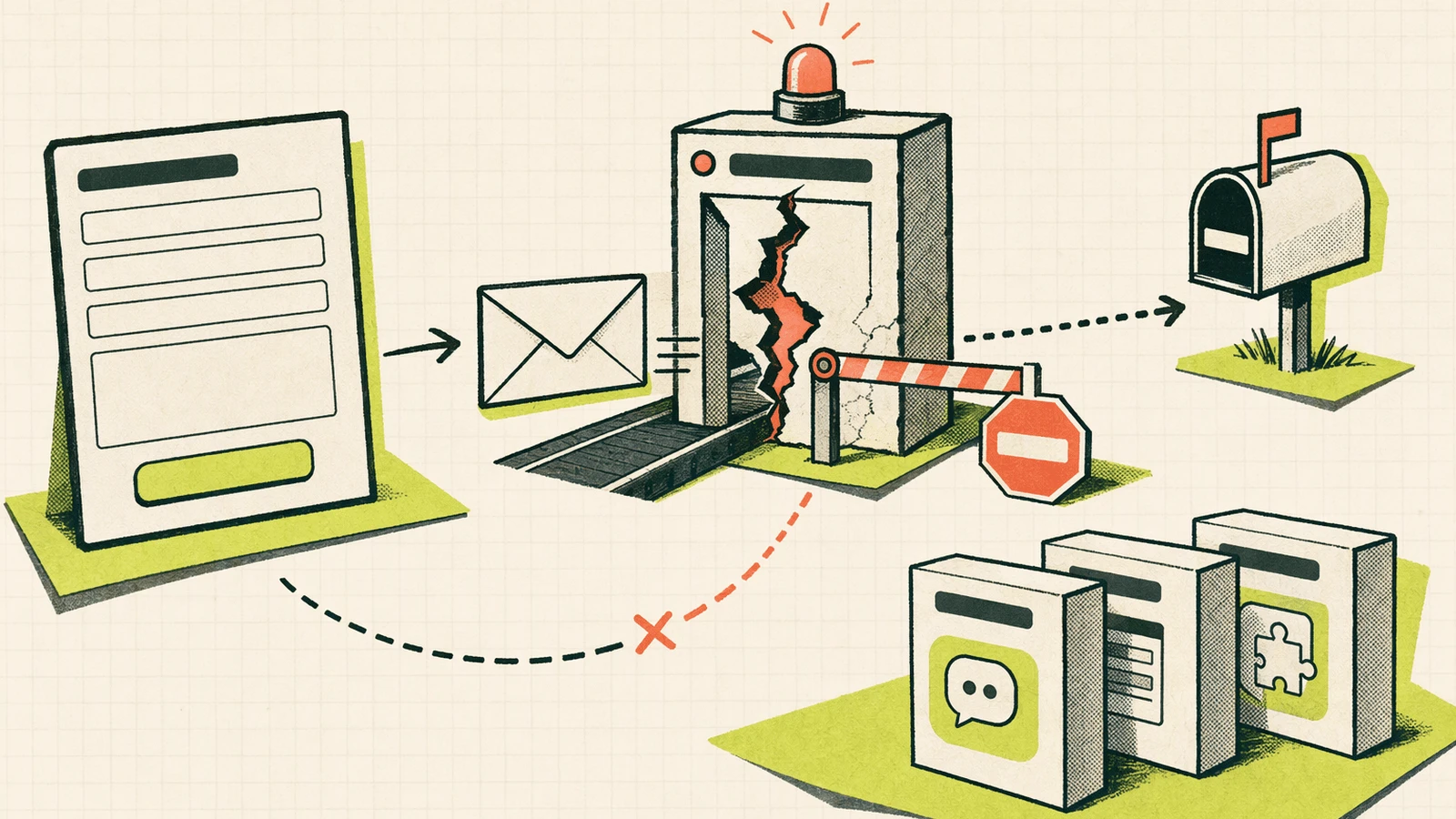
Most form plugins do one core job: accept structured input and trigger a notification. If the form validates, stores the entry, and calls the mail function, changing from Contact Form 7 to WPForms or Formidable Forms may not fix delivery if the underlying mail path remains weak.
That does not mean you should never change plugins. A different plugin may give you better templates, field mapping, spam controls, stored entries, or a friendlier UI. But if the symptom is “sent but not received,” the first repair is usually SMTP.
A practical WordPress baseline:
- Use an SMTP service or mailbox provider that supports authenticated sending.
- Send from an address on your own domain, not a random Gmail address.
- Configure SPF and DKIM for the sending domain.
- Keep the “From” domain aligned with the SMTP account where possible.
- Enable logging while testing.
- Keep a backup path for urgent inquiries.
This aligns with how WordPress itself delegates mail through wp_mail() and how modern mailbox providers evaluate sender identity.
Four Replacement Paths: What Changes, What Does Not, and Who It Fits
| Path | What changes | What does not change | Good fit |
|---|---|---|---|
| Keep the current form and fix delivery | Add SMTP, correct sender address, improve DNS authentication, add logging | Same form UI, same fields, same visitor habit | WordPress owners whose form captures entries but email notifications fail |
| Switch form plugins | New builder UI, templates, spam controls, field handling, stored submissions depending on plugin | Email still needs reliable delivery; SMTP may still be required | Owners who dislike the current editing workflow or need different form logic |
| Use a hosted form service | Form handling moves to a third-party backend; often easier embedding and notification setup | You still depend on email deliverability and service limits/settings | Static sites, custom HTML, React sites, or owners who do not want server-side form handling |
| Add a chat widget | Adds a real-time or near-real-time contact path and inbox separate from form email | Structured form needs may remain; complex intake still benefits from forms | Small sites where missing one inquiry is costly or visitors ask quick pre-sale questions |
This is where Knocket fits as a contact layer rather than a form-plugin replacement. A site can keep its existing form and add a lightweight chat entry so visitors have another way to reach you.
Knocket supports WordPress, Shopify, React, and plain HTML without requiring your own backend for the website widget. Visitor messages go into a unified Inbox, and the owner can reply from the web Inbox or mobile H5 Inbox. Start from Knocket registration, copy the widget from Web Widget installation, and handle conversations in the Knocket Unified Inbox.
When a Chat Widget Beats a Form
A chat widget is not automatically better than a form. It is better when the visitor’s need is conversational or time-sensitive.
1. The question has urgency
Examples:
- “Can you ship this today?”
- “Is this service available in my city?”
- “Can I book a call before Friday?”
- “Does this work with my WordPress theme?”
A form can capture the question, but if email delivery is unreliable, the opportunity may pass.
2. The visitor only wants one confirmation
Many visitors do not want to fill five fields. They want a short answer before committing.
A chat widget reduces the friction of “Name / Email / Subject / Message” when the real question is one sentence.
3. The form is the only contact method, and it is not trusted
If your only contact path is a form that might silently fail, you have a single point of failure. Adding a chat entry gives visitors a second route and gives you another Inbox to monitor.
With Knocket, Web Widget, Mobile Widget, Telegram, and Email can feed one unified Inbox with shared conversation history. Telegram quote reply can send a response back to the visitor screen when configured in Full mode. For mobile handling, open the Knocket H5 Inbox.
When Forms and Chat Should Coexist
Do not replace a form with chat when you need structured information.
Keep a form when you need:
- Order number
- Budget range
- Required service date
- Attachment or file upload
- Project scope fields
- Compliance consent
- Department routing
- Detailed support context
A good pattern for a small WordPress or Shopify site is:
- Form for structured intake.
- Chat widget for quick questions and urgent uncertainty.
- Email address as a fallback for visitors who prefer email.
This avoids forcing every visitor into the same communication style. A buyer with a one-line question can chat. A client with a detailed project brief can use the form.
Knocket also offers a shareable Contact Page for owners who want a public contact link for a bio, README, email signature, or QR code. Manage it from Knocket Contact Page. For WordPress-specific installation, use the Knocket Live Chat Widget plugin or paste the script manually.
Free Chat Widget Embed: Copy the Full HTTPS Script
For a small website, the simplest backup contact path is a floating chat widget. Knocket’s core contact experience is:
100% free · no card · forever
It is also Powered by Tencent RTC.
Use the full HTTPS script. The https:// prefix matters; without it, some sites may treat the URL as a relative path and return a 404.
<script src="https://knocket.live/knocket-sdk/sdk.js?identifier=..." async></script>
Install flow:
- Create or sign in as the site owner.
- Open Knocket Web Widget installation.
- Copy the script with your actual identifier.
- Paste it before the closing
</body>tag, or into the site-wide custom code area. - Publish the site.
- Send one test message.
- Confirm it appears in the Unified Inbox.
Platform notes:
| Platform | Where to add it |
|---|---|
| WordPress | Use the plugin or add the script through your theme/custom code area |
| Shopify | Add it to a shared theme file such as theme.liquid, depending on theme structure |
| React / Next.js / Astro | Add it to the shared layout or script-loading area |
| Plain HTML | Paste before </body> |
| Framer | Use the Knocket plugin and paste the script URL |
Visitors do not need a Knocket account. The owner needs the account so messages can be received and answered.
What This Article Does Not Claim
This guide does not claim that Contact Form 7 is broken. Many sites use it successfully, and silent delivery problems often come from server mail, SMTP, sender authentication, spam filters, or configuration drift.
It does not claim that Knocket replaces a CRM, helpdesk, or ticketing system. Knocket is a lightweight customer contact platform for makers, small teams, creators, founders, and service providers who need an easy contact layer.
It also does not provide or promise AI auto replies in this workflow. The focus here is human contact reliability: forms, delivery checks, inbox visibility, and an optional chat path when email delivery is uncertain.
FAQ
Why add or switch a contact method if I already have a form?
Because the form success message only proves the site accepted the submission. It does not always prove the email reached your inbox. Adding a second contact path reduces the risk of silent lost inquiries.
How do I know my website form is losing messages?
Run the 5-minute test: submit with a unique phrase, check inbox and spam, wait 10 minutes, inspect SMTP or host mail logs, retest, then ask someone using another email provider to submit.
Is the problem in WordPress or my hosting provider?
It can be either, but delivery failures often sit between WordPress and the mail server. If the form stores submissions but email does not arrive, WordPress captured the data and the mail path needs attention.
Can forms and chat coexist?
Yes. In many small sites, that is the cleanest setup. Use forms for structured requests and chat for quick questions, urgent confirmation, or visitors who do not want to fill out a long form.
Do I need a backend to add Knocket?
For the Web Widget on WordPress, Shopify, React, or plain HTML, you do not need to build your own backend. Add the provided script or use the WordPress plugin. App teams can use the Mobile Widget through a WebView-based flow.
Is Knocket free?
Knocket’s core contact experience is 100% free · no card · forever. The product positioning also includes no message caps for the contact layer.
What if visitors only want to use email?
Keep an email address visible. A chat widget should not hide email from visitors who prefer it. The point is to avoid relying on one silent-failure-prone path.
Will the chat widget affect site speed?
The Knocket script is loaded with async, so it does not block normal page parsing in the same way a synchronous script would. As with any third-party script, test your own site with your normal performance tools after installation.
If your form says “sent” but your inbox is uncertain, fix SMTP first, then add a backup contact path where it makes sense. Try Knocket at https://knocket.trtc.io/.